Account settings are personal to you. Open them from your avatar in the top-right corner, then Account Settings.
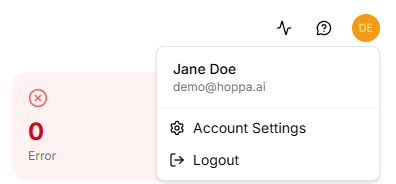
Account menu with Account Settings and Logout
There are two tabs: Profile and Apps.
Profile
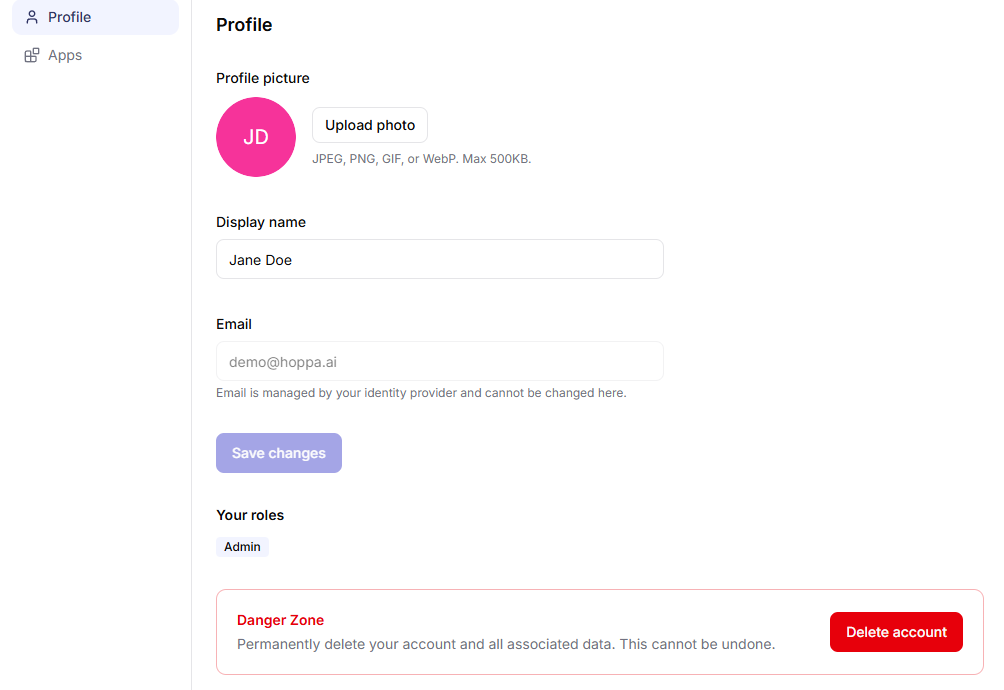
Profile tab with picture, display name, email, roles and Danger Zone
- Profile picture. Select Upload photo to add a picture. It must be a JPEG, PNG, GIF or WebP image, no larger than 500 KB. Select Remove to go back to your initials.
- Display name. The name shown to others in Hoppa. If you sign in with a Microsoft or Google account, your name comes from that account and cannot be changed here.
- Email. Your sign-in email address. It cannot be changed here.
Select Save changes to save.
Your roles
Your roles shows the roles you hold in your current organisation. Hover over a role to see what it allows. See Roles and permissions.
If you have no role, Hoppa shows Guest, which gives read-only access. Contact your organisation's admin if you need more.
Apps
The Apps tab lists your connections to other systems, such as SharePoint and Autodesk.
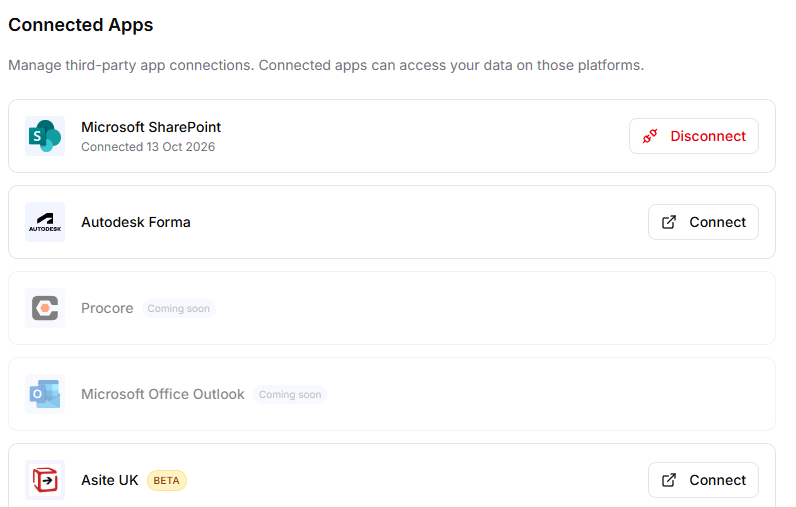
Connected Apps tab listing connected and available apps
| Status | What you can do |
|---|---|
| Connected | Select Disconnect to revoke Hoppa's access to your account on that system. |
| Needs reconnection | Select Reconnect and sign in again. See Reconnect an expired connection. |
| Not connected | Select Connect and sign in. |
| Managed by your administrator | Access is set up for your organisation, so there is nothing to do here. |
You can reconnect at any time.
If the tab shows Unlock connected apps, connecting to external systems is not enabled for your account. Contact the Hoppa team.
Delete your account
- On the Profile tab, under Danger Zone, select Delete account.
- Type your email address exactly as shown, to confirm.
- Select Delete account.
Hoppa signs you out.
Deleting your account does not delete your work. Sessions, results and everything else you created belong to your organisation and stay in place. If you delete your account by mistake, raise a ticket through the support portal to have it restored.