Hoppa organises work into three levels. Each level has a different job.
| Level | What it is | What you do there |
|---|---|---|
| Organisation | The top-level grouping for your company and its work. | Open workspaces, and manage usage and audit logs. |
| Workspace | A logical grouping of related work, such as a project or a document type. | Define the information standard and workflow that its sessions use. |
| Session | A single package of work, inside a workspace. | Connect documents, run the analysis and review the results. |
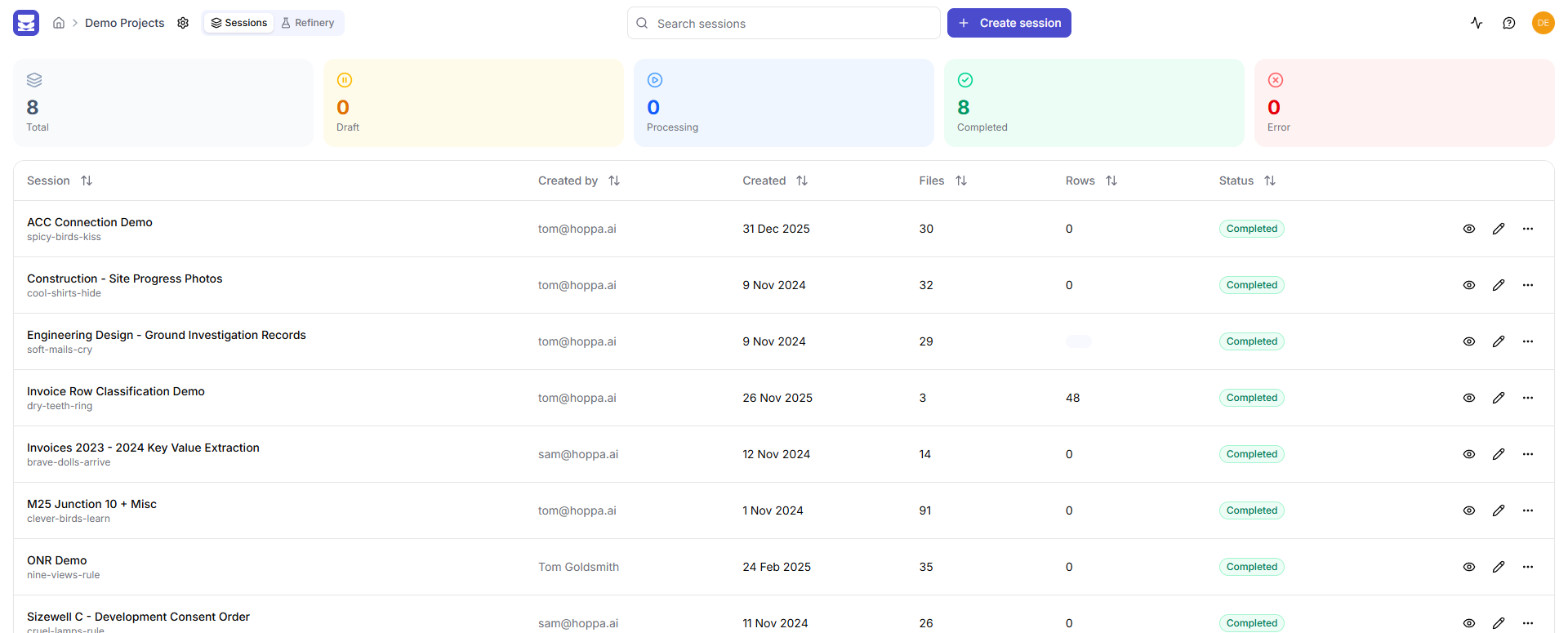
Sessions listed in a workspace
Organisation
Your organisation is the space your company works in. It contains all of your workspaces, and every member of the organisation has a role that sets what they can do. See Roles and permissions.
You can belong to more than one organisation. Each one is separate, and you switch between them from the organisation landing page. See Navigating the app.
Workspace
A workspace groups related sessions. Most teams create one workspace per project, client or kind of document.
A workspace defines two things that its sessions use:
- The information standard. The classifications, search fields and tags you want for each document. You edit it on the workspace's Refinery tab. See The Refinery.
- The workflow. The processing steps Hoppa runs on each document. See Workflows.
Setting these once at workspace level means every session in the workspace starts from the same standard.
Session
A session is where the work happens. In a session you:
- Connect documents, by uploading them or linking to a source system.
- Run the analysis.
- Review the results, correcting and enriching them as needed.
- Export the results or write them back to the source.
Each session has a name that you choose and a three-word ID that Hoppa generates, such as soft-mails-cry. The ID appears in the session's URL.
How standards and workflows pass from workspace to session
When you create a session, it starts from the workspace's standard and workflow. After that, the two behave differently.
The information standard is copied. The session gets its own copy of the workspace standard when it is created.
- Editing the session's standard does not change the workspace standard.
- Editing the workspace standard does not change sessions that already exist. Only sessions created afterwards get the new version.
The workflow stays linked until you edit it. The session keeps following the workspace workflow, so changes to the workspace workflow reach the session.
- This link holds until someone edits the session's own workflow.
- Editing the session workflow breaks the link for good. From then on, workspace workflow changes no longer reach that session.
Relinking a workflow
Once a session's workflow has been edited, you cannot relink it to the workspace workflow yourself. Raise a ticket through the support portal to have it relinked.